Cut Social Media Time Without Missing Out: A 7-Day Reset
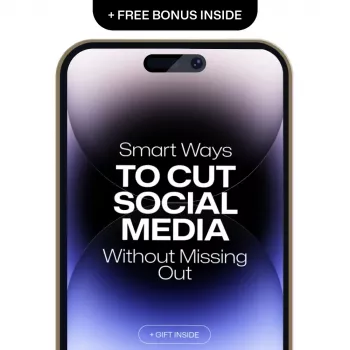
Smart Ways to Cut Social Media Without Missing Out
Cutting back on social media doesn’t have to mean disappearing or feeling out of the loop. A few practical boundaries—paired with better ways to stay connected—can free up time, protect attention, and reduce the “always-on” pressure while keeping the people and information that matter within reach.
Know what you’re cutting: mindless scrolling vs. meaningful connection
Social media is a tool, but it’s easy for “useful” to blur into autopilot. Start by separating what genuinely serves your life from what quietly drains it.
- Identify the 2–3 reasons social apps are truly useful for you (events, close friends, professional updates), and treat everything else as optional.
- Watch for common time leaks: opening an app with no purpose, hopping platforms when bored, and getting trapped in short-form video loops.
- Notice emotional patterns: comparison spirals, irritability after use, and the reflex to check your phone during tiny pauses.
Many feeds are designed around intermittent rewards—a “maybe the next post will be great” loop similar to a variable ratio schedule. That’s not a character flaw; it’s a system that rewards checking.
Set a clear “minimum effective dose” for social media
Instead of chasing a perfect limit, aim for a minimum effective dose: the smallest amount of time that keeps you connected without stealing your day.
- Pick one primary window for updates (example: 20 minutes after lunch) rather than scattered checks from morning to night.
- Choose “core” platforms vs. “optional” platforms for a 7–14 day trial.
- Use simple rules that don’t require constant decision-making: no social media before work/school, none in bed, and no checking during meals.
Cutback options that keep you connected
| Cutback level | Daily time target | How it works | Best for |
|---|---|---|---|
| Light trim | 60–75 min | Keep apps, turn off non-essential notifications, 2–3 check-in windows | People who need social for groups/events |
| Focused balance | 30–45 min | One main window + one short check, remove explore/short-video temptations | Reducing distraction while staying reachable |
| Deep reset | 10–20 min | Browser-only access, no apps on phone, scheduled catch-up every other day | Breaking compulsive checking patterns |
| Weekend-only | 0–20 min weekdays | No weekday use, one catch-up block on weekends | Busy schedules, exam periods, work sprints |
Make social apps less sticky (without relying on willpower)
When the environment changes, the habit gets easier. Add small “speed bumps” so checking becomes a choice—not a reflex.
- Turn off push notifications except direct messages from key contacts (or turn them all off and rely on scheduled checks).
- Move social apps off your home screen, or bury them in a folder on the last page to create friction.
- Use grayscale or a focus mode to reduce the reward feeling that keeps attention locked in.
- Disable autoplay, mute suggested content, and clear recent searches so recommendations stop pulling you back.
If bedtime scrolling is your biggest issue, reducing blue-light exposure can help support sleep habits too. The National Sleep Foundation explains how light exposure can affect sleep timing and quality (source).
Replace the habit loop: keep the reward, change the routine
Most scrolling isn’t about the app—it’s about the moment. You want a quick reward: relief, novelty, connection, or a break. Keep the reward, swap the routine.
- Match triggers to fast alternatives: boredom → a 3-minute walk; stress → 2-minute breathing; waiting → a saved article or audiobook snippet.
- Keep a “tiny list” of replacements you actually enjoy: text one friend, stretch, refill water, play one song, journal two lines.
- Design a phone “landing page”: weather, calendar, notes, and a single reading app—no social icons.
Stay in the loop without the feed
You can keep relationships and information while cutting the algorithmic noise.
- Create direct channels for what matters: group chats for close friends, email newsletters for interests, shared calendars for events.
- Use intentional catch-up: check notifications/messages first, then leave—avoid jumping into recommended content.
- Tell friends your plan in one sentence: “Text me the invite details; I’m checking apps less this month.”
This approach reduces “ambient anxiety” without shrinking your social world. If social media use is affecting mood, the NHS overview on social media and mental health offers practical context and signs to watch for.
Handle the fear of missing out in a practical way
FOMO gets easier when you define it. Ask what you’re actually afraid of missing, then choose the healthiest way to meet that need.
A simple 7-day reset plan
When cutting back feels unusually hard
A guided approach for balance and focus
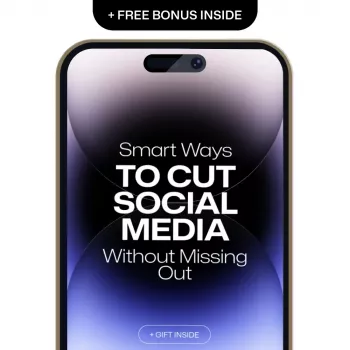
If a step-by-step structure helps you follow through, consider Smart Ways to Cut Social Media Without Missing Out (digital ebook guide) for a practical plan to set boundaries, reduce screen time, and stay meaningfully connected.
To turn reclaimed time into something that actually feels good—rest, deep work, relationships—pair social cutbacks with habit-building basics from Long-Term Growth: Build Habits That Last.
FAQ
How many minutes a day is a realistic social media limit?
Anywhere from 10 to 75 minutes can be realistic depending on your needs. A helpful starting point is a 25–50% reduction from your current average, then schedule one or two daily check-in windows so the time doesn’t spread across the whole day.
What if cutting back hurts my friendships or makes me miss plans?
Shift key connections to direct channels like group chats, shared calendars, or simple texts, and tell close friends you’re checking apps less for a while. Intentional catch-ups (messages first, then exit) help you stay included without constant scrolling.
Should social media apps be deleted or just limited?
Limiting is a good first step because it preserves access while you build new routines. If compulsive checking persists, try browser-only access or remove the most distracting app for 24 hours to break the automatic habit loop.









Leave a comment