15-Minute Amazon List Declutter Checklist (Duplicates & Notes)

Checklist: Refresh and Declutter Amazon Lists Regularly
Amazon lists can quietly turn into a pile of duplicates, outdated ideas, and impulse saves that make shopping harder—not easier. A simple refresh routine keeps lists useful: fewer repeats, clearer priorities, better budgeting, and faster decisions. The steps below work whether lists are used for gift planning, home projects, books, or everyday essentials.
Why Amazon lists get messy (and what “decluttered” looks like)
Lists usually get cluttered for predictable reasons: quick “save for later” habits, multiple lists created for the same purpose, seasonal items that never get removed, and price or availability changes that make older saves less relevant. Add in a few late-night browsing sessions and a once-simple list turns into a scrolling marathon.
A decluttered list is short enough to scan quickly, grouped by purpose, and limited to items that still match current needs, budget, and timelines. The goal isn’t a perfect system. It’s a low-friction system that makes it easier to buy, compare, or share a gift list when the moment actually arrives.
If you need a quick refresher on where list settings live, Amazon’s help page is a good reference: Amazon Customer Service — Lists (Help & settings).
Signals a List Needs a Refresh
| What you notice | What it usually means | Quick fix |
|---|---|---|
| More than 40–60 items on one list | Too many mixed priorities | Split into 2–4 purpose-based lists |
| Multiple versions of the same item | Comparisons never finished | Keep the top 1–2 options; delete the rest |
| Items saved over 6–12 months ago | Needs changed or item is outdated | Re-check relevance; remove or move to a “Someday” list |
| You can’t remember why you saved it | Low-intent save | Add a short note or delete |
| Purchases happen outside the list | List isn’t trusted or easy to use | Create a weekly 5-minute review habit |
Set up a simple list structure before you declutter
Decluttering goes faster when you’re not deciding where everything “should” live. A simple structure prevents the pile-up from coming right back.
- Limit the number of active lists: most people do well with 3–6 (for example: Gifts, Home, Personal, Books, Seasonal, Subscriptions/Refills).
- Create one “Parking Lot” (Someday) list for ideas that are interesting but not actionable right now.
- Name lists the way you actually decide: by person (Kids, Partner), room (Kitchen, Garage), occasion (Holidays), or timeline (Next 30 Days).
- Pick one duplicates rule: either “only one version allowed” or “two options max for comparisons.”
This kind of structure helps reduce cognitive load when you’re making decisions. If you’ve ever felt drained after scrolling and comparing for too long, you’ve experienced decision fatigue—Nielsen Norman Group has a helpful overview of how it impacts choices: Decision fatigue and cognitive load (usability guidance).
The 15-minute refresh: step-by-step checklist
Set a timer for 15 minutes. The goal is progress, not perfection—one list at a time.
- Choose one list only. Start with the list that causes the most friction (usually the biggest or oldest).
- Sort and scan fast. Look for obvious removals first: wrong size, wrong color, no longer needed, already purchased elsewhere.
- Remove duplicates. Keep the best candidate and delete the rest. If uncertain, keep two and add a note about what to compare (price, features, brand).
- Re-check the “why.” For each remaining item, confirm it still fits a real use case (gift recipient, project, routine, upcoming season). If the reason isn’t clear, delete it or move it to “Someday.”
- Add notes for future-you. Add a short note such as “for dad’s birthday,” “needs to fit 24″ shelf,” or “wait for sale under $X.”
- Set a cap. Prevent the list from re-inflating by setting an item limit (example: 25 items per active list). Anything beyond the cap gets moved to “Someday.”
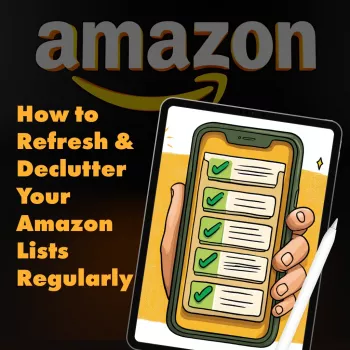
Want a ready-to-use version you can save or print? Checklist: How to Refresh & Declutter Your Amazon Lists Regularly (digital download) turns the steps into a consistent routine you can repeat without overthinking.
Decide what stays: a quick filter that prevents impulse buys
Decluttering isn’t only about deleting—it’s about preventing tomorrow’s clutter. Use a simple filter to keep “maybe” items from crowding out your real priorities.
A small spending rule helps, too: add notes like “only if under $25” or “buy during Prime Day.” For broader consumer shopping tips, the Federal Trade Commission’s consumer guidance is a solid baseline for making clearer purchase decisions.
A repeatable schedule: weekly, monthly, and seasonal maintenance
Printable-friendly organization: using a checklist to stay consistent
If you like systems that reduce daily friction beyond shopping—like getting more value out of what you already own—Using the Clothes You Already Own with AI (digital style system download) is another practical way to declutter decisions without buying more.
Common snags and quick fixes
FAQ
How often should Amazon lists be reviewed?
A tiered rhythm works well: a quick 5-minute weekly cleanup, a 15-minute monthly pass for older items, and a seasonal reset for holidays or major life routines. Adjust the cadence based on how often you shop and how quickly your lists grow.
What should be done with items that are “maybe someday”?
Move them to a single Parking Lot/Someday list and add a short note plus a revisit date. Keeping active lists capped ensures they stay fast to scan when you’re ready to buy.
How can duplicates and comparison items be handled without losing options?
Use a two-option limit for comparisons and add a note stating the deciding criteria (price ceiling, must-have feature, preferred brand). Delete the rest, and revisit the two options if availability or pricing changes.










Leave a comment